How Scout works, from the walk to the big reveal
From Richard, Scout's founder. The whole thing, start to finish, with the real screens: what happens on the walk, what happens back home, and why we built it this way.
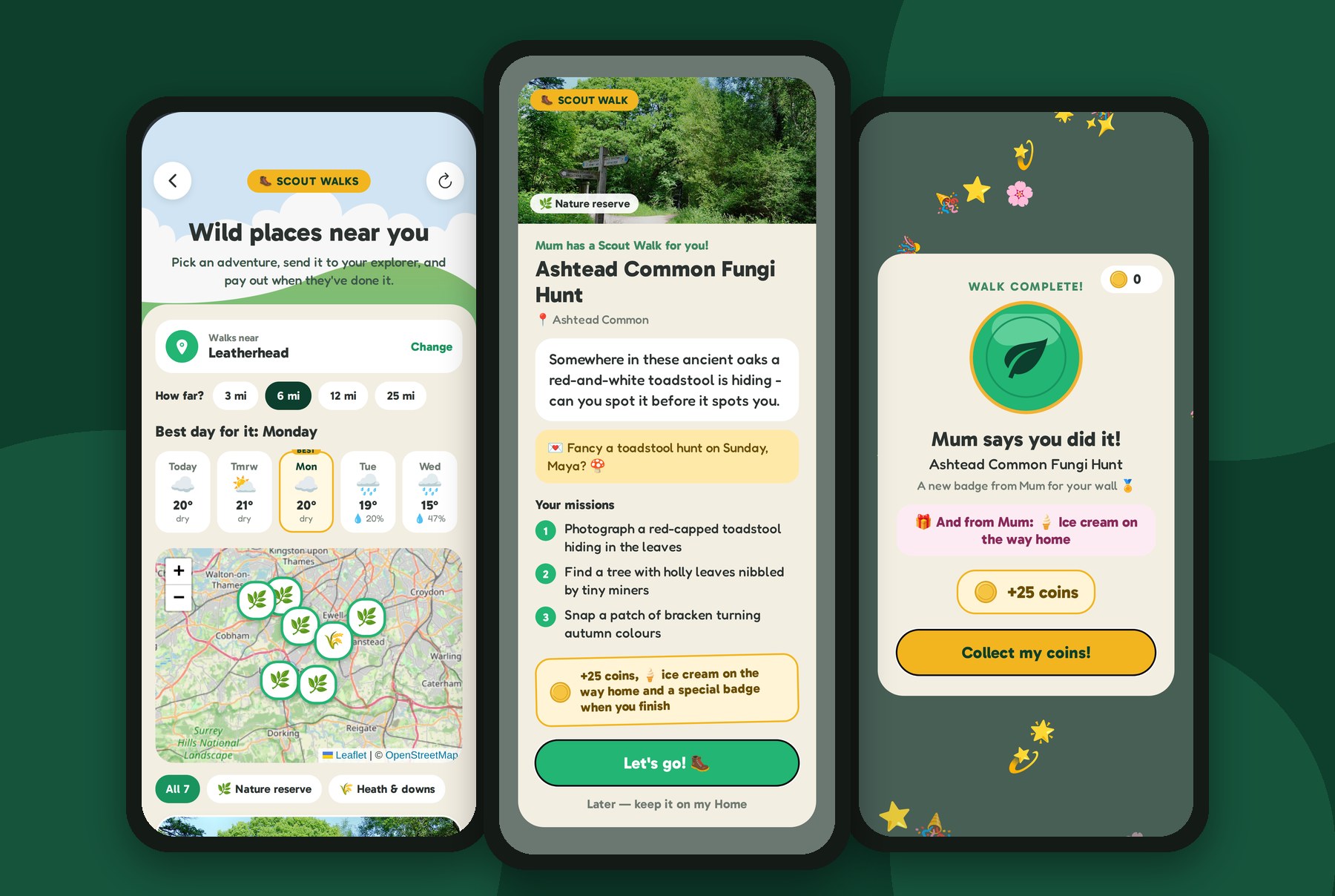
People ask me how Scout actually works, and the honest answer is a bit longer than "it's a camera with a guide in it". So here's the whole thing, start to finish, with the real screens from our designs.
There are two halves to Scout, and they're built to do very different jobs:
On the walk: the camera
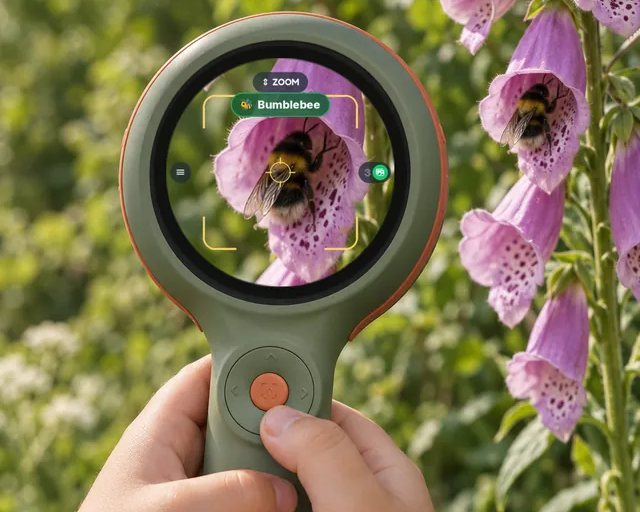
Scout is shaped like an explorer's magnifying glass: a lens on the front, a round screen on the back, and a grippy handle with one orange button under the thumb. Your child points it at something, holds the button, and their guide helps them look.
Inside the camera is a small AI chip, and on it a nature model we trained ourselves. It's worth explaining what that model does, and just as importantly, what it doesn't.
What the model knows
We trained it on over two million nature images. We trained a big "teacher" model first, then used it to teach a much smaller "student" model small enough to run on a chip in a child's hand.
That student knows 733 groups of living things: the things a child would actually name. Robins, magpies, bumblebees, ladybirds, orb-weaver spiders, daisies, oaks, foxes, hedgehogs, fly agarics, cardinals, monarchs and hundreds more. Above those sit 158 families ("one of the daisy family", "a crow or a jay", "a bird of prey"), and above those, ten big categories: bird, mammal, insect, spider and relatives, other small creatures, reptile, amphibian, fish, plant and fungus.
Why groups and families, not every species?
Because there are over two million named species on Earth, and a model that could tell them all apart would never fit on a chip the size of a fingernail, running on a battery, answering in about a second, with no internet connection. Out on the trail, the camera has no internet connection at all, on purpose.
So we chose groups a child can see the difference between. And we made one rule we care about more than any other: the guide never tells your child something we're not sure of.
Every group has its own bar. We tested the model on photos it had never seen, and the guide only says a name out loud when, at that confidence, the name has been right at least 85% of the time. Below that it steps back to the family ("ooh, one of the daisy family"), then the big category ("a beetle!"), and if it can't honestly say anything, it says nothing at all. When we pointed it at 454 things from around the house (mugs, sofas, toys, screens), it named none of them.
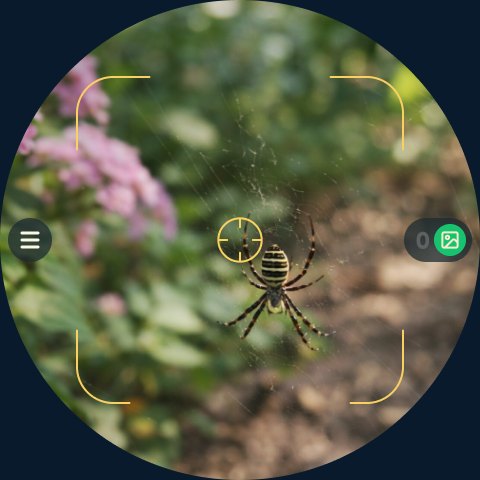
On the walk, what the guide says is always a hint, never a verdict: "Ooh, that looks like it might be an orb-weaver spider!" And then: "Snap it, and Scout HQ will tell us for sure."
Why the real answer waits until home
This is the part I feel most strongly about, and it's a choice, not a limitation we're apologising for.
I started Scout because of what screens were doing to my twins. So when we designed the walk, I kept asking one question: what should the screen be doing out there? And the answer kept coming back: as little as possible. Its job is to help them look at the world, not to be looked at.
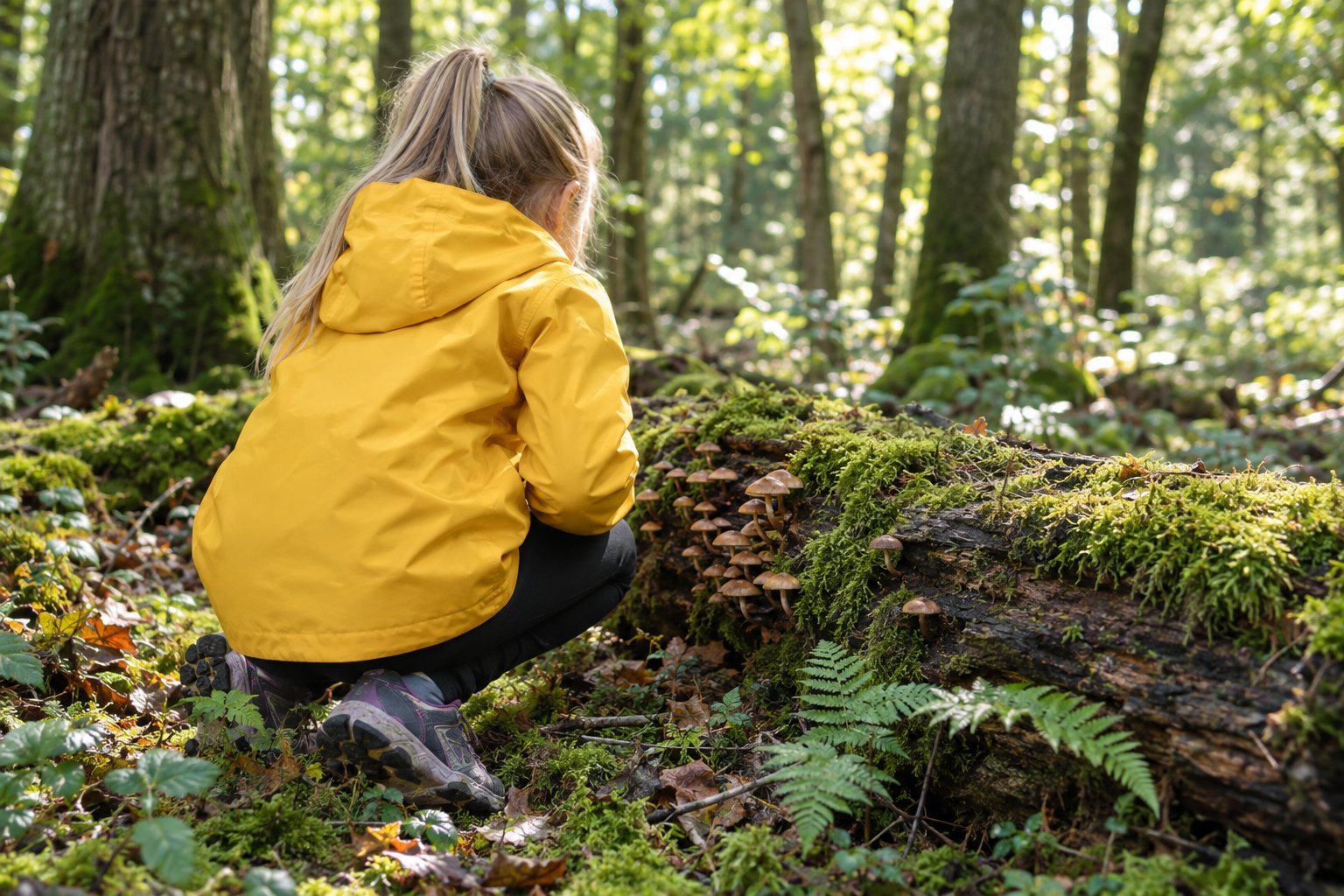
If Scout named every species on the spot, with a card, the facts and the painting, a walk would turn into what a phone already is: point, read, scroll, next. Their eyes would be on an even smaller screen, consuming more content, in the one place they're meant to be looking up. Instead, the walk stays the walk. They hunt, they point, they snap, their guide gives them a gentle hint, and they move on to the next thing. The time outside is spent exploring.
And then there's the anticipation. Coming home with a camera full of finds you can't wait to open is a completely different feeling from one more notification. It's the same reason a birthday present is wrapped. We built the reveal to be the best part of the day, and it only works because they had to wait for it.
The beam home
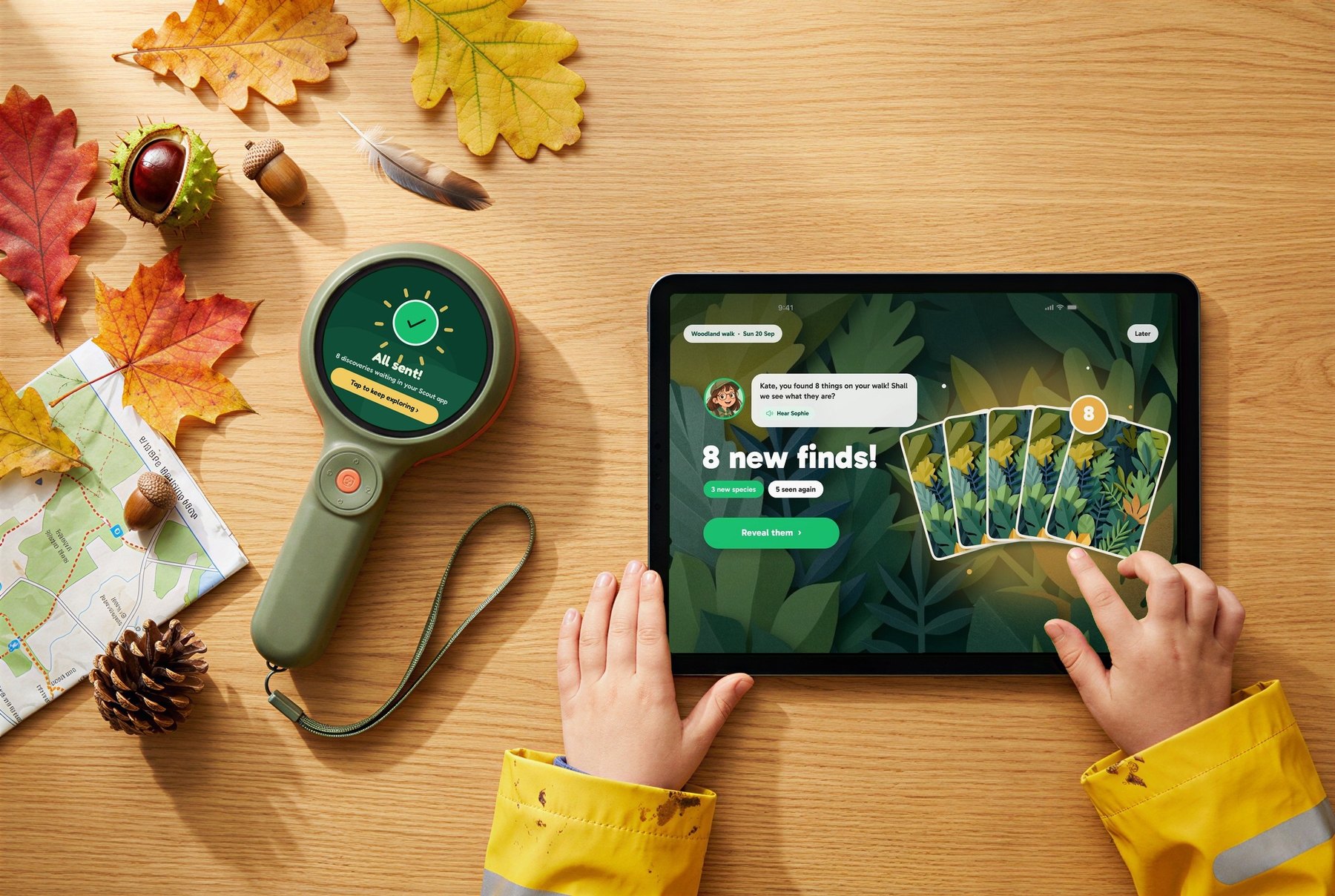
Back home, Scout sends the day's photos to Scout HQ: over the camera's own Wi-Fi to your tablet or phone, or with its cable to a computer.
Before anything is sent anywhere, every photo is checked for faces. Photos with a person in them stay on your family's devices. They're kept as private memories in the gallery, and never uploaded.
The nature photos go to our servers, where a much bigger model does the careful work. It's trained on over 200 million pictures from across the tree of life, far too big for a camera. It uses roughly where you are, so it prefers species that actually live near you, and it would rather give an honest "a type of beetle" than guess at a species. When two photos show the same find, it puts them together rather than counting them twice.
Scout HQ: where the finds come to life
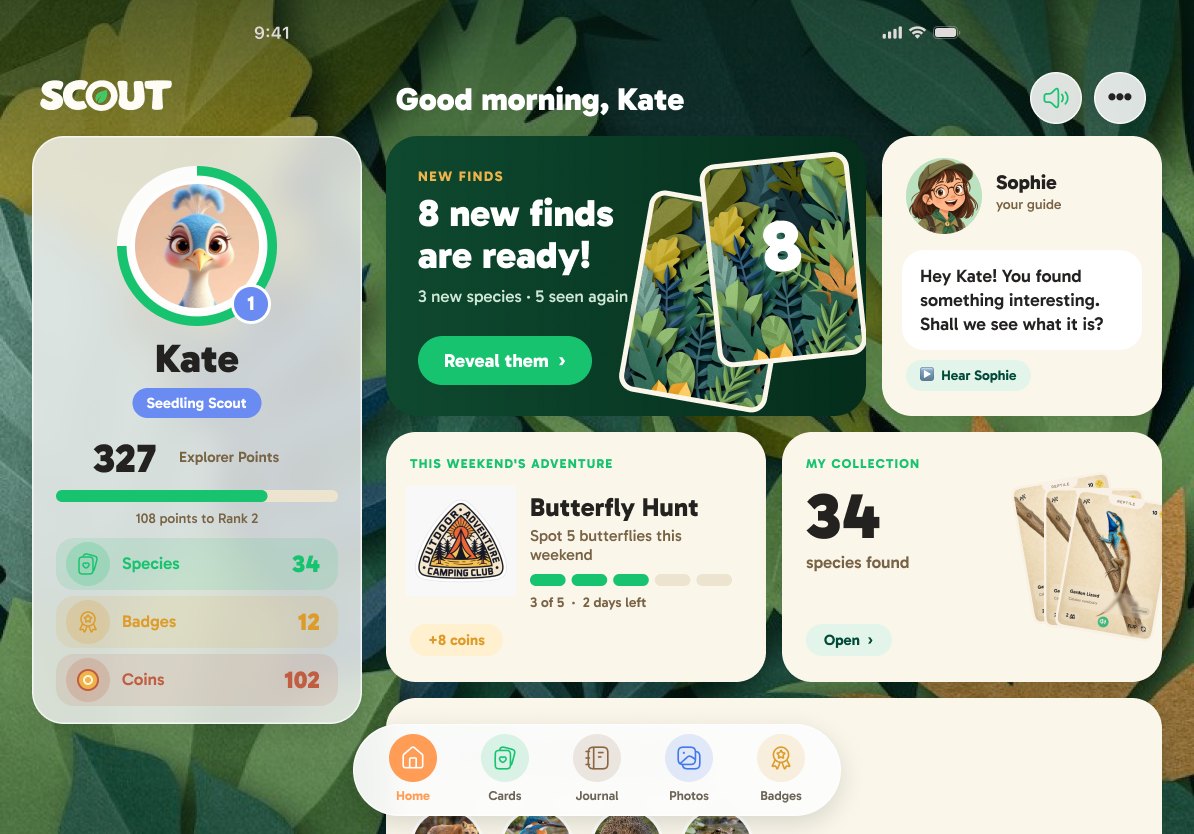
Scout HQ is the app at home. It runs on a tablet or a phone, and we've made a desktop version too, in a web browser, for families whose children mostly use a laptop or a computer. On a computer, Scout plugs in with its cable and the photos come across the same way.
The big reveal
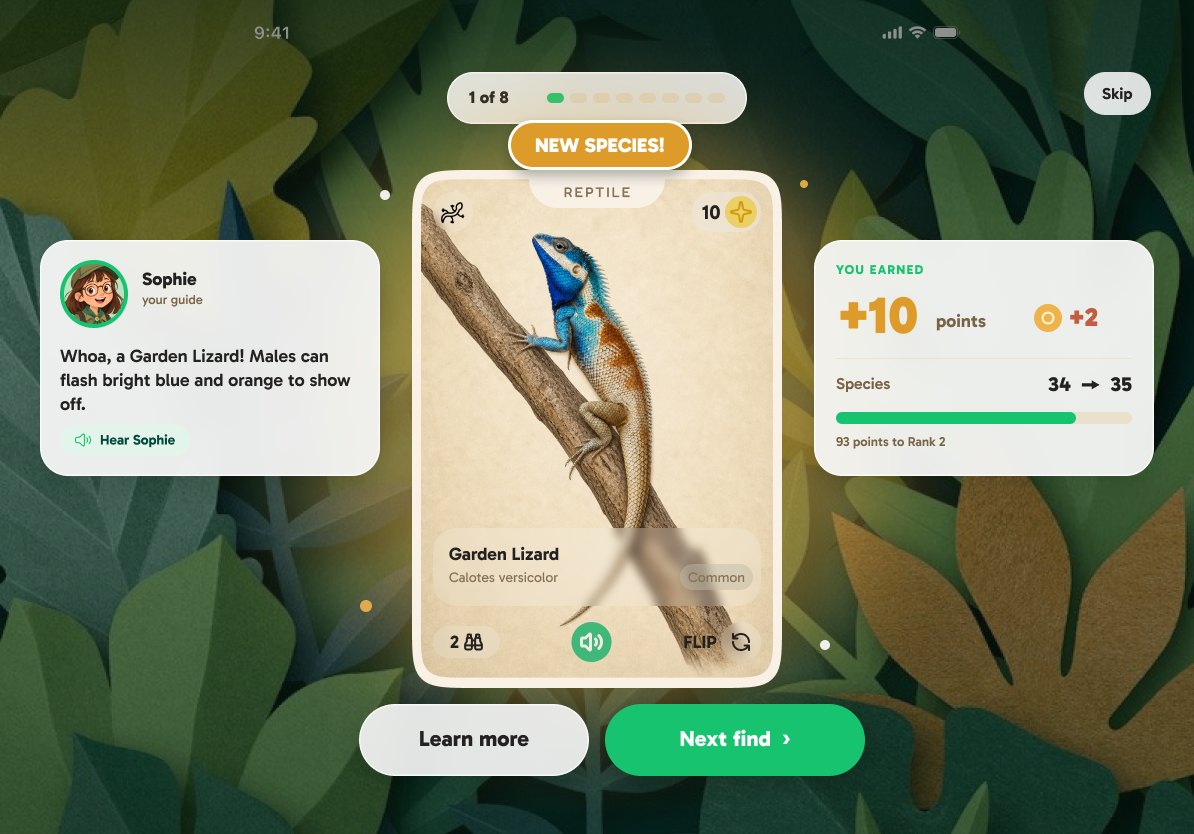
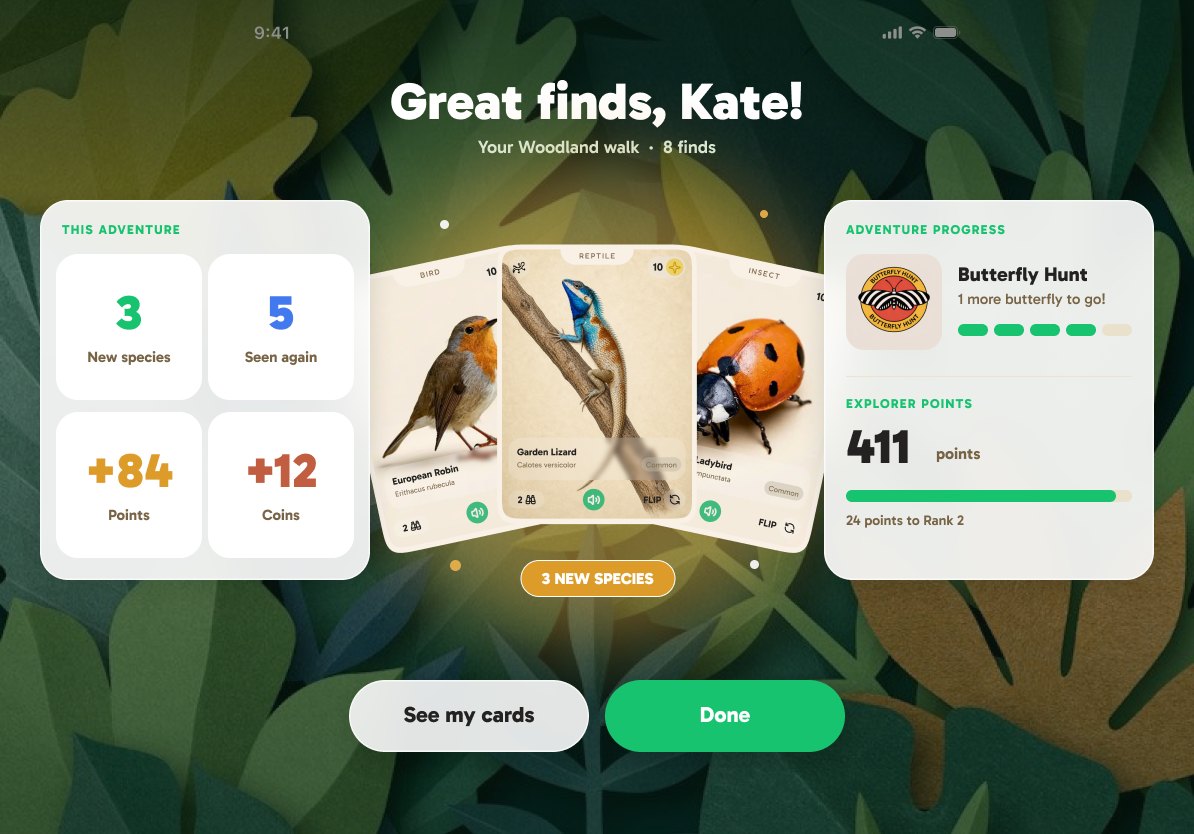
The reveal is the moment it's all been building up to. Their finds arrive face down, and they turn them over one at a time. Every new species becomes a Discovery Card with a painting of that species, its name, and points and coins for finding it. Their guide reacts to each one, out loud. Species they've found before are celebrated together at the end, and the photos Scout couldn't quite name get an honest "nearly named", with a tip for next time.
Discovery Cards and Ask Sophie
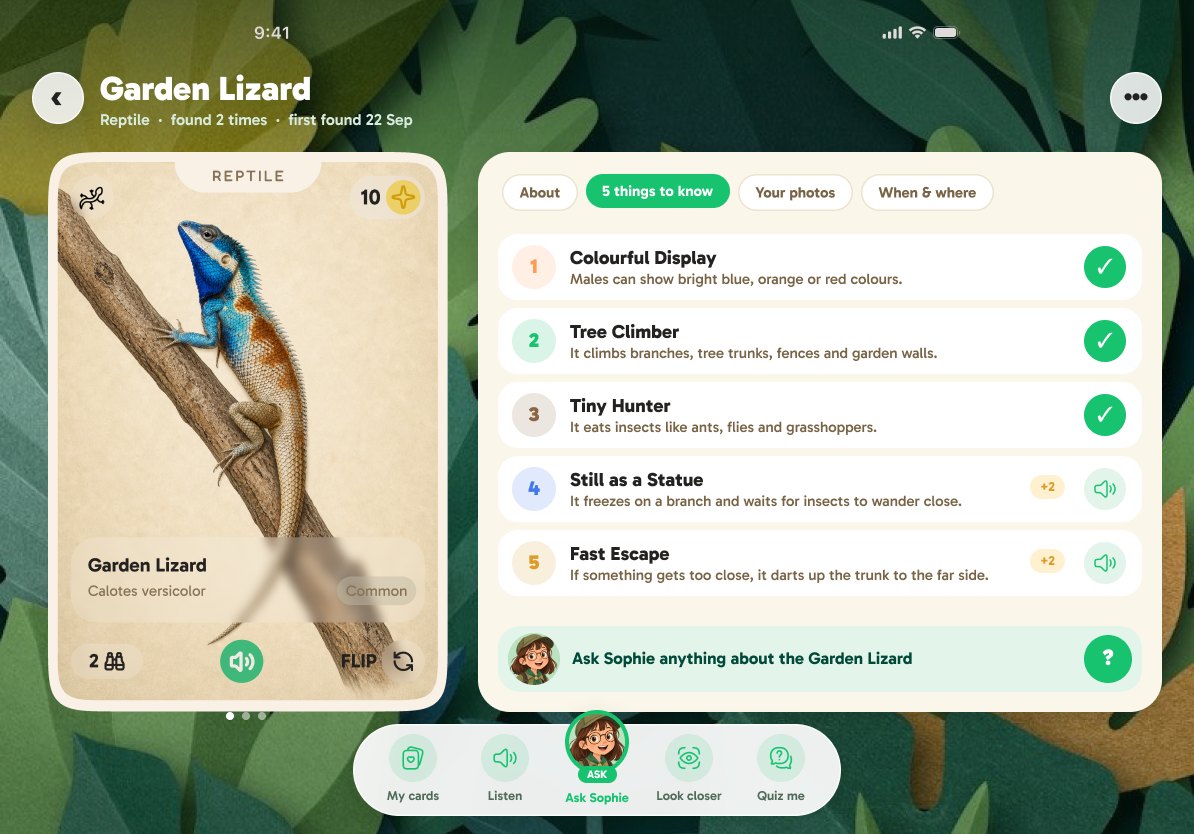
Each card flips over to show where it lives, what it eats, when it's about, and how to spot it, plus five "wow" facts their guide reads aloud. Listening earns coins, so the facts actually get heard.
At the bottom of every card is Ask Sophie (or whichever guide they've chosen). Tap the guide and ask: "Does it bite?", "What does it eat?", "Why is it that colour?". There are ready-made questions for every species, answered straight away, and with Scout Pro they can ask anything, by voice or typing. The guide answers in character, about that species and nothing else, and honestly: if they ask whether it bites, they get a calm, true answer, never a scarier or a safer one than the truth.
My Spots, the map
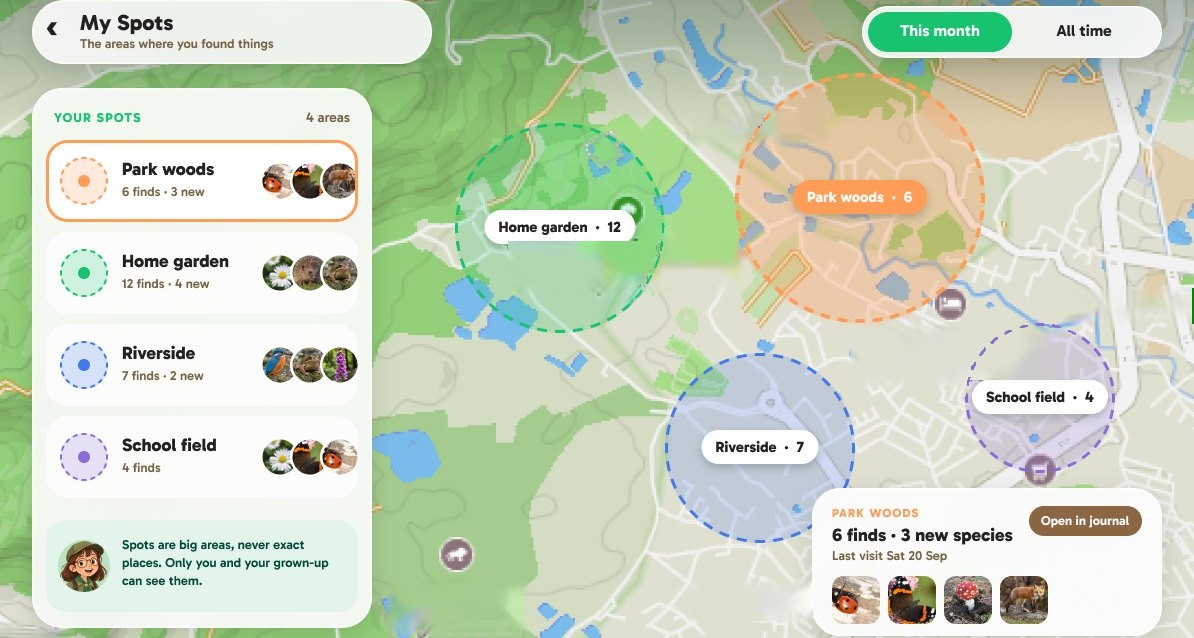
Every find goes on their map, but never as a pin on an exact spot. Scout puts finds into areas about a kilometre across, and you can't zoom in tighter than a neighbourhood. They see "Park woods, 6 finds, 3 new", with the photos they took there, how far they walked and how long they spent exploring. It's a map of their adventures, not a record of where they've been.
The nature journal, and my favourite part
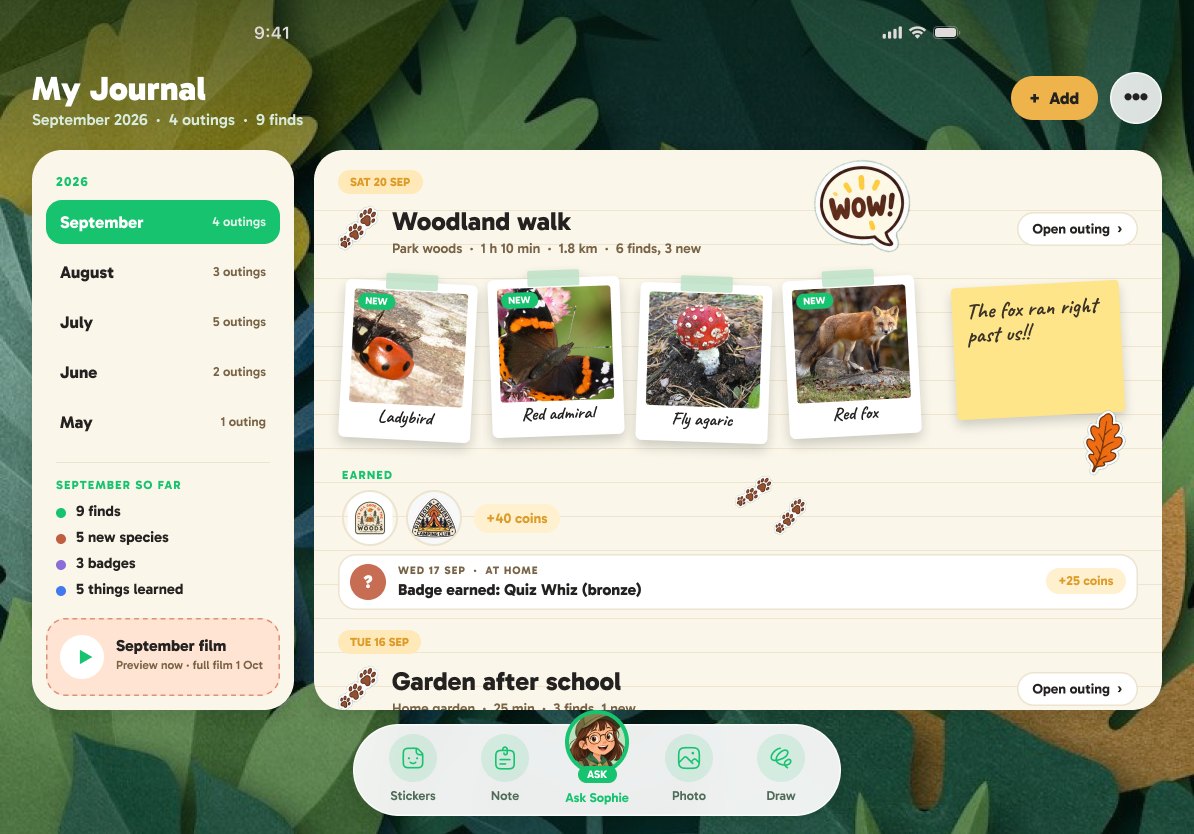
This is the bit I'm proudest of. Every walk becomes a page in their own nature journal: their photos laid out like polaroids, the new species they found, the facts they heard, the badges they earned, and a map of where they went. They can make it their own with stickers and notes.
At the end of each month the journal plays it all back as a short film, with music and their guide reading the story of their month. And the months stack up. By next fall, they'll have a year of their own discoveries to look back on: a record of time spent outside, made by them.
Everything else, briefly
- Badges and challenges are earned for real exploring: new species, new places, early mornings, weekend challenges. Coins buy things like stickers and new guides, and are only ever earned, never bought.
- No leaderboards. Nobody is racing anybody else.
- No browser, no chats, no feeds, no ads on the camera or in the app for children.
- Photos of people never leave your family's devices.
Where it's up to
The Scout app is built, with every screen above, and it's in testing now. The camera's nature model is trained and running in our testing app on a phone, and it goes onto the camera's own chip with the first production run. What's left is fine-tuning, and that first production run.
If you've got a question about any of this, reply to any of our emails. They come to me, and I read every one.
Richard
(For the science in more detail, see How Scout knows what it's looking at.)